
If your phone getting ad after installing some apk from websites, what to do?
This is not a virus, don’t get fear, this is a type of malware which injected in your mobile phone which downloading some unknown apk from unknown websites.
Now, you want to do these steps mentioned below.
1) download the app named system app remover from Google Play store
Now, scroll down there will be menu “applications” in that menu, you will able to find two options which are installed and system.
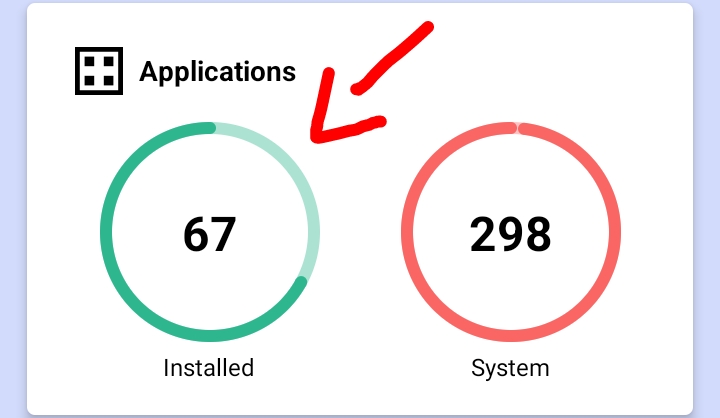
Click on the icon, installed, you will redirect to the page of installed apps.
Scroll down and watch each apps which are installed by you, one app will not have any title, icon please click on that app and uninstall it.
Probably, it will be a malicious app.
If you not found, any apps like this or you want to conform it as a malicious app.
2) kindly, install the app named Malwarebytes and scan your full device.
It will take more time, but leave it in your background after the scan, if no malwares present you can leave it, if any malwares do you found, you can uninstall there
This is the problem all are facing while installing unknown apk
You can prevent this by installing the safe apps from Google Play Store, don’t allow any permission to apk without checking it safe or unsafe
Thankyou for reading this article
Have a good day!
 FIND-YOUR-ANSWER